Trial and subscription
What Voxdub offers
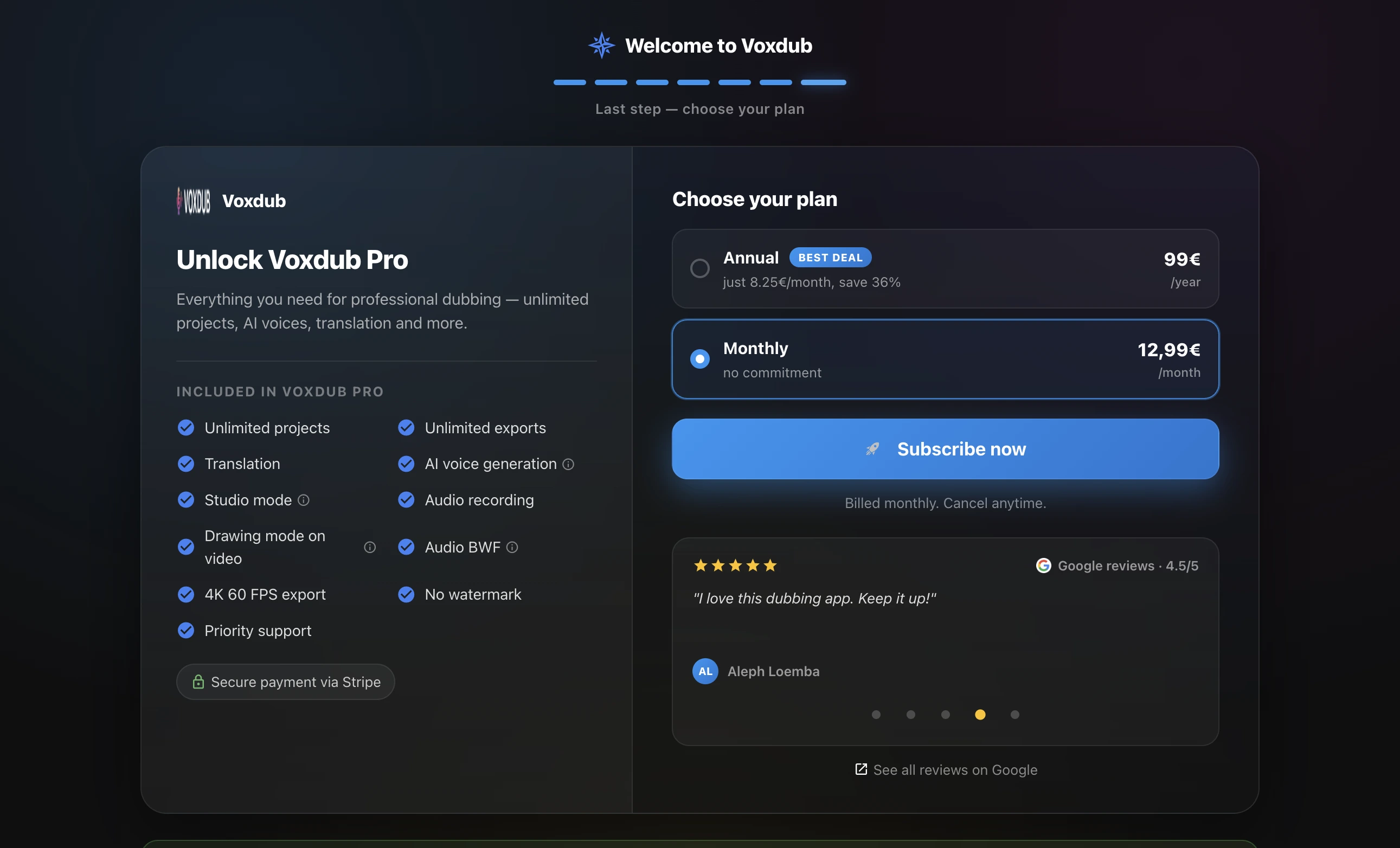
Voxdub works on a subscription only. There is a single price:
- €12.99/month.
There is one plan only: every studio feature is included in the subscription, with no difference in quality or format. Automatic transcription and automatic translation have a number of minutes included each month (see "Included minutes" below).
What the subscription unlocks
The subscription gives you the full studio, including:
- Importing videos and editing the rythmo band.
- Recording your own voice.
- Translating the band and generating subtitles.
- Every export: video (burned-in rythmo band), subtitles (DETX, SRT, ASS, JSON) and audio (croisille, dubbed audio as WAV, BWF sync markers without audio).
None of these features is locked behind a higher plan: they are all part of the same €12.99/month offer.
Included minutes
Automatic transcription and automatic translation are counted in minutes of processed video.
- Subscription: 300 minutes of transcription and 300 minutes of translation per calendar month. Each feature also has a limit of 150 minutes per day. You can lift the daily limit to use your monthly minutes.
- Trial: 30 minutes of transcription and 30 minutes of translation for the whole trial.
- Extra minutes: packs of 60, 300 or 900 minutes, for €3, €10 or €25, are available with an active subscription. These minutes are valid for 12 months and are used after your monthly minutes.
A translation into several languages counts for each language. Unused monthly minutes do not carry over to the next month. The number of projects and the number of exports are not limited.
The optional trial
A trial may apply depending on the terms in effect when you sign up. When one is offered, its exact conditions appear right at the subscription step. Check the sign-up screen to see what is offered to you, as this can vary.
Subscribing
Payment is handled by Stripe. When you subscribe:
- You land on the Stripe checkout screen (card entry and a price summary).
- Once the payment goes through, your account switches to an active subscription and the full studio is unlocked.
Creating your account and moving to a subscription are covered in Create an account.
Manage, pay, cancel
Everything happens from the Stripe billing portal. There you can:
- Update your payment method (card).
- View and download your invoices.
- Cancel your subscription.
The detailed steps to change your card, open the portal or cancel are in Manage or cancel your subscription.
Terms
The subscription is subject to Voxdub's Terms of Use (EULA / Terms of Use), which you accept when you subscribe.
Ready to dub your video?
Create an account and start your first project in minutes, right in your browser. 7-day trial.
Start the 7-day trial