Bulk-edit several lines at once
When several lines need the same change — the same character, the same band row, or a time shift — you can edit them all at once instead of one by one.
All of these features are part of the €12.99/month subscription.
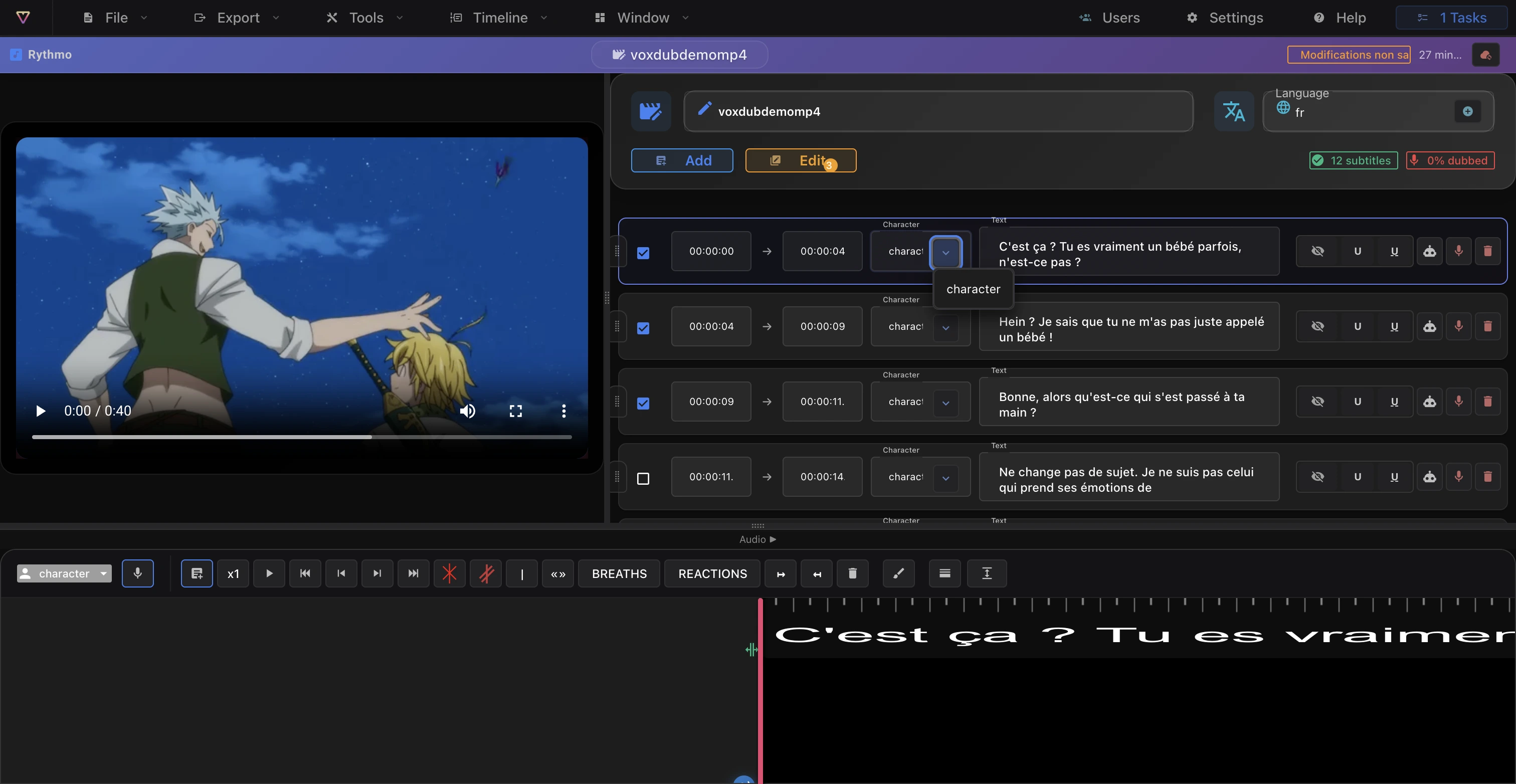
Select the lines
Each line in the script panel has a checkbox. Tick the lines you want to change; the Edit button in the panel header shows a count of how many are selected. The button stays disabled until at least one line is selected.
Apply a change to all of them
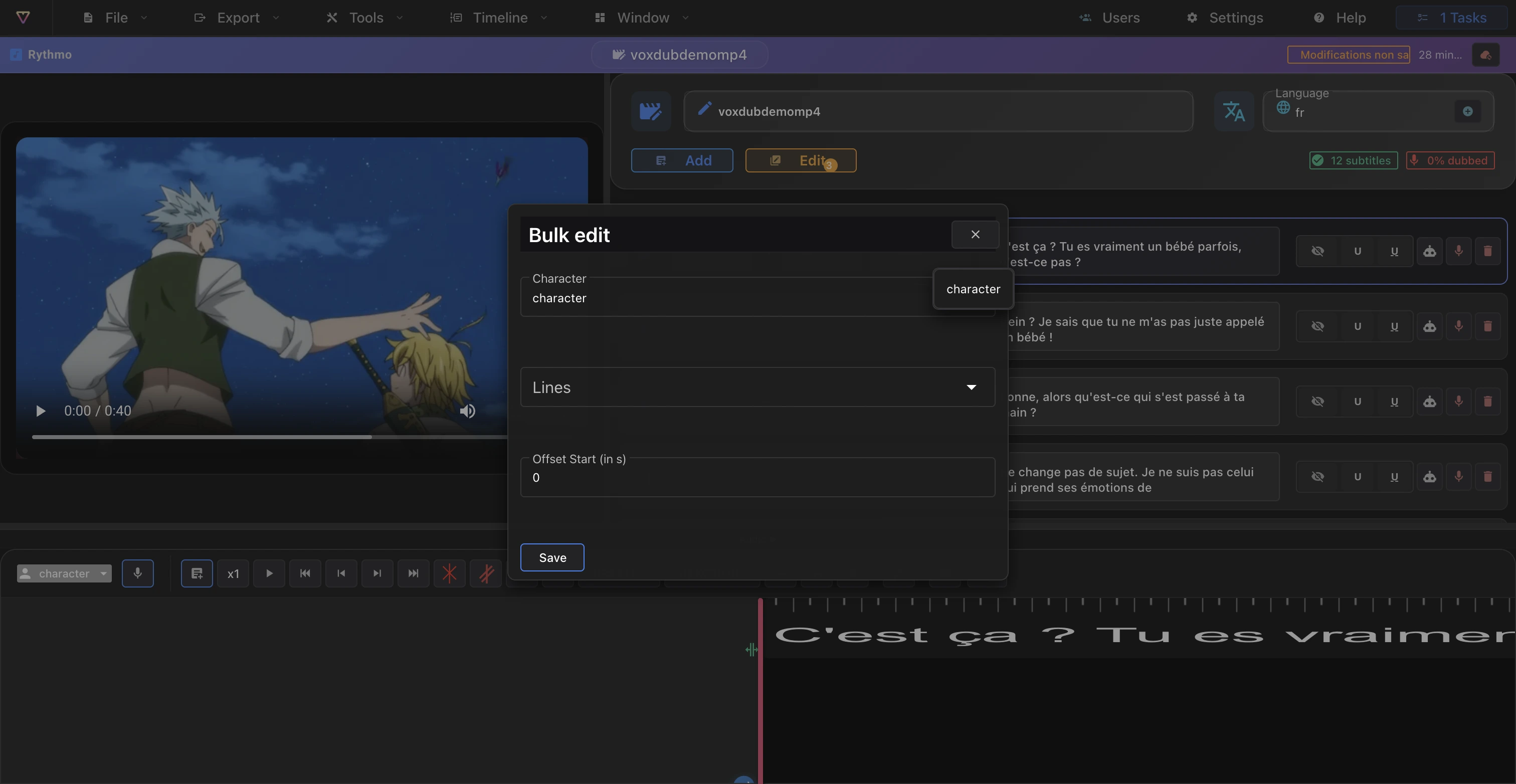
Click Edit to open the Bulk edit dialog. It applies the same change to every selected line:
- Character: assign a character to all of them (see Characters).
- Lines: move them to a band row (0 to 3).
- Offset start (in s): shift their start time by a number of seconds.
Click Save to apply. The selection then clears.
Tips
- Use the Offset start to nudge a whole group of lines earlier or later in one step.
- Leave a field unchanged if you don't want it applied.
Related articles
- Characters — assign a character line by line or in bulk.
- The rythmo band tools — the script panel and band rows.
Ready to dub your video?
Create an account and start your first project in minutes, right in your browser. 7-day free trial.
Try Voxdub for free