Assigning a character to a rythmo band line
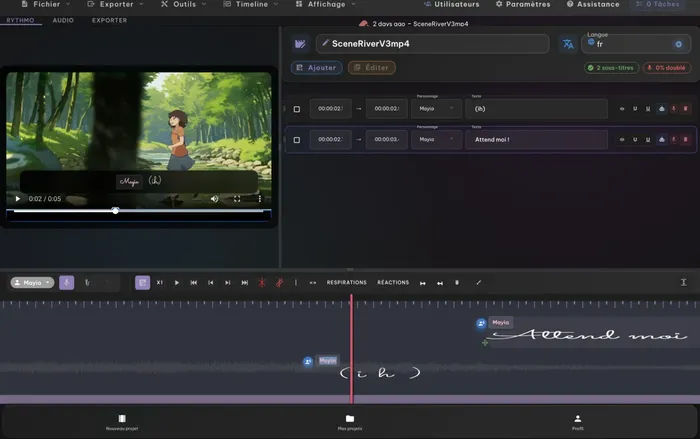
As long as there's only one character on screen, everything's fine. The moment two of them start trading lines, the question shows up: who says what? On a rythmo band, knowing who each line belongs to isn't a luxury. It's what lets every voice actor find their lines and record without picking up the wrong one.
A band that doesn't separate the voices slows you down
Picture a busy scene with no character cues at all. The voice actors hunt for their lines instead of acting, sessions drag on, and automatic transcription tends to lump two speakers onto the same line. You end up spending more time untangling than recording.
Flip it around, and a band where every line is assigned reads like a score: each voice knows what to say, and when.
It all starts with a clean transcription
Before you think about characters, you need a well-segmented text. In Voxdub, automatic detection pulls the dialogue from the audio and splits it into lines. That's the base you use to spot speaker changes.
If two characters end up on a single line, you won't be able to assign anything correctly. So the first move is: split at the right spot, every time the voice changes.
Assign, then check the sync
Once the lines are properly separated, go back through the scene in order and identify the speaker at each change. Then group the lines by character: that's what lets you record voice by voice, like in a studio, without calling an actor back ten times.
One last point, often forgotten: make sure the sync still holds. Every line has to match the lips of the right character. A line that's well assigned but poorly synced will cost you the benefit of all that work.
In short
Assigning a character to each line turns a block of text into a band you can perform with multiple voices. You start from a well-segmented transcription, identify each speaker, group by voice, and keep the sync tight.
👉 Prepare your multi-voice rythmo band with Voxdub — 7-day free trial, right in your browser.